An (Over-Engineered) Clone of Apple's Scribble
Jan 26, 2026Updated: Jan 28, 2026
Intro
At the 2016 WWDC, Apple premiered a new way to communicate on Apple Watch called
Scribble.
Scribble lets you draft text messages by using your finger to draw text directly onto the small screen of the watch. While not the fastest way to communicate, it enabled quiet, accurate
writing under the constraints of the device: a small screen, weak processor, and
273 mAh battery.
This feature was super satisfying when it first came out. After 2 minutes of
playing with it, I just wanted to know how they did it! And to be honest, the precise answer
to that question still eludes me. But in this post, I’ll present one way to
recreate the same functionality, using the path of your mouse cursor as the
input.
It's important to caveat that I'm a hammer, and to me every nail looks like
a machine learning problem. In any case, I hope you'll find my solution fun and
straightforward. I'll continue building on this project as a test-bed for some
ideas in meta learning I'm eager to play with.
Try it out!
Checking API status...
This widget records your cursor's velocity as you drag it across the canvas and forwards
that data to
api.hectorastrom.com,
where the mouse velocity data is processed by a 1.0MB CNN hosted on an AWS
t3.small
instance in a couple of milliseconds. Most of the latency comes from the
back-and-forth between AWS and your browser. The (more accurate) 53-class
version doesn't support digits.####
How It Works
I don't actually know how scribble works on the Apple Watch - that's all
proprietary. It's certainly different from my version; after all, the engineers at
Apple were presented with much tighter constraints when building
their version than I was. However, that's also the reason this project could be built in a
few evenings of excited hacking, rather than by a team of payed engineers over XX months.
In this section, I'll describe how my version of scribble (the one you
tried above) works. This is a simple, fullstack ML project, but it's principles
& process are very universal. To see the code and read about my attempts, visit
the repo.
Pipeline
Scribble records mouse velocity data (either on device using
pynput, or in
browser with JavaScript), integrates the velocity data into positional data,
converts that positional data into a 28x28 image, and passes it through a
300K param CNN of 63 classes (a-z, A-Z, 0-9, and space). We sample the most likely
class as the character prediction.There are a couple oddities in that pipeline that deserve some justification:
- Why do we record with velocity, if we're integrating to position anyway?
- Why do we convert timeseries data to images, effectively throwing out a rich source of information about the path of the cursor?
The first oddity is a vestige of a constraint I was previously under: this
project started for a different purpose, where all data I had access to was mouse
velocities. The second oddity actually has a good explanation, and will become
clear in the training section.
Training
The training of the stroke classification model is broken into two phases:
- Pretraining on EMNIST
- Finetuning on my own mouse strokes
Pretraining
I wanted to get a prototype of scribble up fast, which meant offloading as
much of the work as possible to existing assets. Originally, I thought I could do
that by using lightweight OCR models. This worked terribly, because as it turns
out OCR models are built specifically for clean,
typed characters - not messy, continuous mouse strokes.
There was unfortunately no alphabetical character recognition model I could find
online, either. So, the laziest thing I could do next was use data that had already been collected.
Thankfully, there's a dataset called EMINST that contains 814,000
28x28 B&W images
of handwritten letters and digits in the byclass split.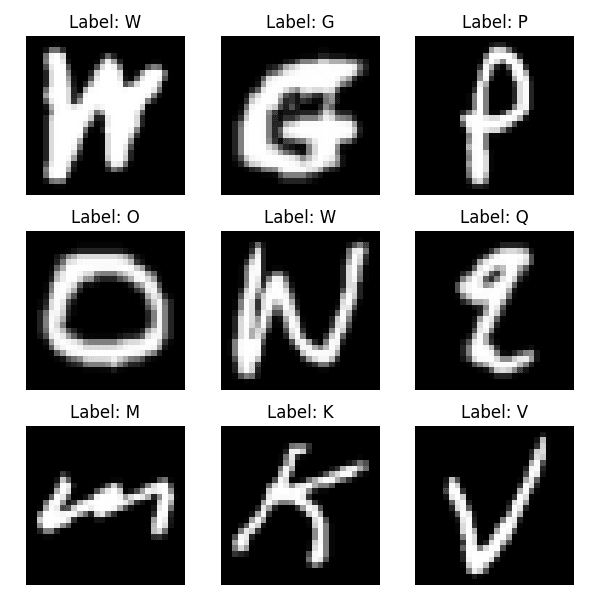
This dataset was perfect for my use case, and explains why I chose to use image
representations of mouse strokes instead of the timeseries versions: that's all
I had available for pretraining. So once I locked in that I'd be using a CNN for
this task, I could happily pretrain away.
Pretraining takes ~20 minutes on my M2 Mac, and reaches an
87.5% offline test accuracy
in classifying the 62 characters available. I only needed to run this once.NOTE: Originally, I used the
letters split of the EMNIST dataset, which
combined lowercase and uppercase letter sketches with case-agnostic labels.
I've since revised this pretraining to use the byclass dataset, which is
both much larger, includes digits, and differentiates between upper and lowercase.Finetuning
I unfortunately couldn't stop right after pretraining because my desired domain
of continuously drawn characters
was slightly different from traditional handwritten characters. Mouse strokes are
continuous, messy, and
harder to differentiate. I sadly couldn't avoid collecting my own data.
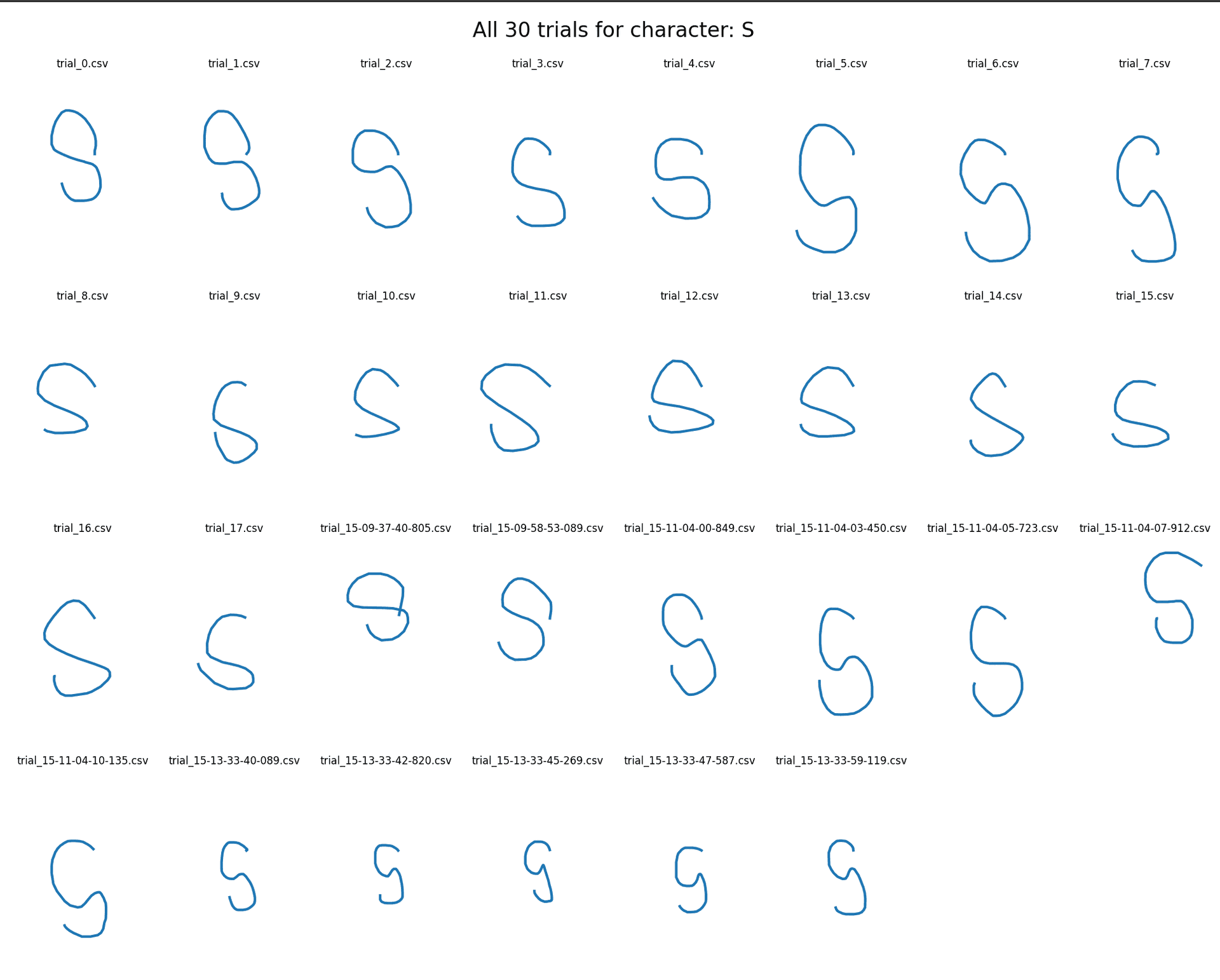
After collecting 15-25 samples for each of the 63 characters, applying data
augmentation through the 200 epochs of training, and optimizing with a partial
finetune with a new classifer head, the model was ready!
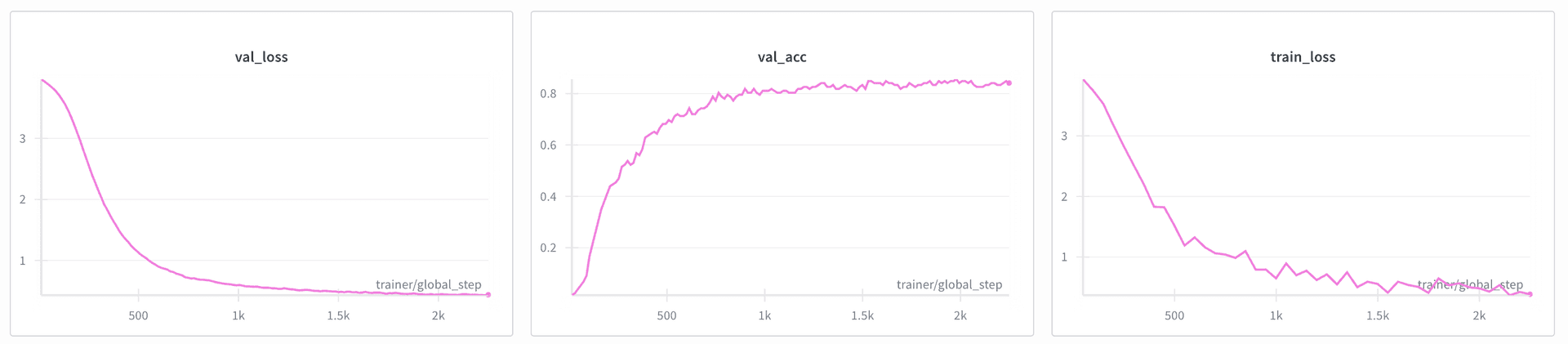
Finetuning takes less than a minute, and boasts
80.9% offline test accuracy
(63-class) on
my mouse strokes.
Admittedly, the widget above feels worse than that. I attribute this
descreptancy to the slightly different domain in which strokes were collected
(see data collection below) and how they have to be drawn
back-to-back in the widget above. With a centered mouse and patient stroke, the
widget feels really accurate!Additional note - 53-class version: Originally, I had finetuned the model without digits, which is the 53-class
version in the widget above. This model boasted
92.9% test accuracy on the
53 classes. The 63-class version demonstrates substantially lower accuracy as
a consequence of both the larger class count and less effort to improve it
(updating to 63 classes is a new feature, with only one finetuning run completed).Data Collection
I really really hate data collection, but I do like making good tools. So I
tried to make the script for data collection as streamlined as possible.
After launching the data collection script, all you have to do is start a new
stroke with
space, draw the stroke you're told to draw, pause your mouse for
200ms and repeat. You can stim out pretty easy on this data collection, and it's
rewarding to know you're building a better model :)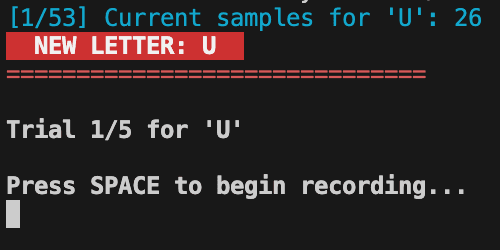
The Model
Although I'm a deep learning guy at heart, this model is really simple. The
deployed version in the widget is a
300K parameter CNN, composed of three
convolutional blocks, with max pooling layers gluing them together. It takes the input image from
28x28 -> 1x1, and uses two-layer a classifier head trained with dropout.
Finetuning is done partially (relatively arbitrarily, I must admit; I didn't compare many
methods here), updating only block 3 and the classifer head in that
phase. The finetuning of the CNN reaches 80.9% performance from ~1200
training samples.Since it feels so bad to be throwing out the rich timeseries information from
a stroke, I did try using an LSTM, too. Unfortunately, this LSTM only
has the ~1000 samples that I personally collected for full training, as there's
no public, large-scale timeseries mouse stroke dataset I know of (HMU !)
This is an ongoing effort (attempt 3
here),
which -- at a dataset size of ~1000 -- attains
62% test accuracy. I would have thought
1000 timeseries samples would be enough to match CNN performance, but that was apparently too
optimistic. I'll continue working on this, but most likely the best action I
could take to improve LSTM performance is upload a page for all of you to
collect lots and lots of data for me ;) (coming soon...)####
Future of Scribble
scribble, at is current state, is a cool demo; but it doesn't provide value to
anyone. I could see scribble becoming a useful medium to interact with
computers for those with physical disabilities or those with fine motor
impairments.
scribble could also become a cool tool for everyone else. Effectively,
this software transforms the mouse into an additional input medium (imagine
being able to quickly execute a macro with a swipe of your mouse!)
Here are what I think the biggest limitations of scribble are, and how I
intend to solve them:
-
Images are a poor medium for rich, timeseries mouse velocity data
- See this third attempt!
-
Character recognition is best paired with natural language parser
- Pair the outputs & confidence levels from scribble with a language model, which votes on the plausability of certain strings based on its knowledge of complete words.
- Making this fast & on device is the real challenge -- I actually think this is a very hard problem.
-
Data collection needs to scale, a lot
- Make this software public & directly useful to automate large-scale data collection, so that people will want to use it give the model feedback (training data)
- Executing macros is one idea for a use-case
To be honest, though, scribble is in a fun, functional state so I felt
comfortable making it public to you all. It was an exciting thing to build after
school over a week, but is not the most impactful project of all time, nor
anything I intend to progress much further on its own.
The greatest value in scribble for me now is as a test-bed for some ideas in
meta-learning I want to try. It's a lot easier to test and feel a model
experiment here than with a bloated LLM or
BFM.
Last Thoughts
Like I said at the start, though, the process of building scribble is
identical to the process of building a model for any
machine-learning-amenable task. Whether it's mouse velocities, language tokens,
electrical brain activity, or photos, you'll discover this process is ubiqitous.
THE ML ENGINEERING RECIPE
- Decide what your task and goal is
- Figure out what data you have access to, and the cost to attain different
types of data
- Select the type that is both easiest to scale and highest signal-to-noise
- Design good representations & features for that data
- Select the best architecture for your data
- Mess around with this! It's the main researchy part, allowing for intellectual creativity
- Train the model (pretrain on whatever you can)
- Deploy & actually let people use it
Executing this process is just a muscle, but one that's starting to get really strong for
me.
It's the fundamentals that I used to dream about having when first starting to learn machine
learning, and enables me to work on a lot more complicated, experimental
research with confidence. That's the real reason I wrote this blog: to document
this recipe, applied to a task that everyone can play with.
Shoot me an email if you have thoughts for how to make scribble useful, if you
want to build anything out of it, or (especially!) to give feedback on my approach to
the solving problem.